This blog post was published on Friday, January 30, 2026.
We built AR Connect to solve three problems for analyst relations leaders:
1️⃣ The Scale Problem. You struggle to get strategic work done because you’re so busy reviewing and responding to requests for information from analysts.
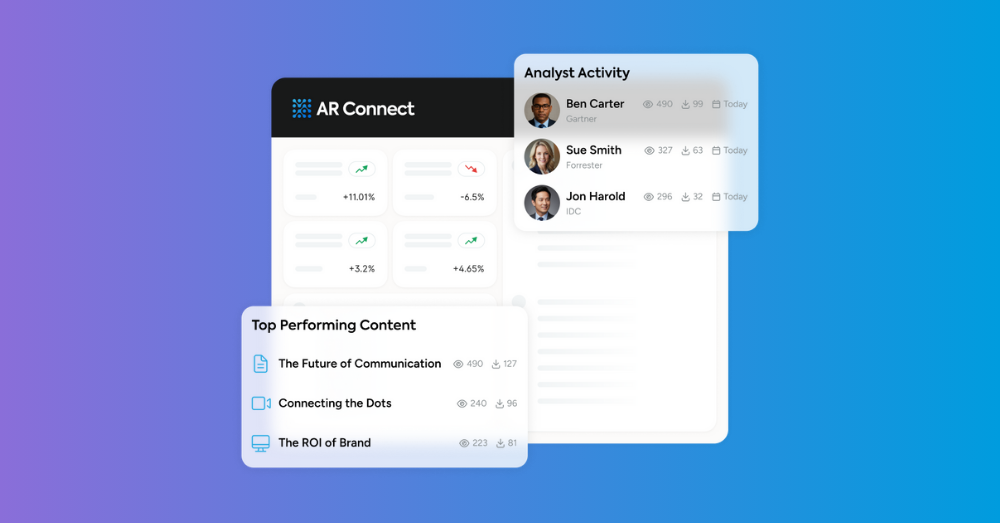
2️⃣ The ROI Problem. You lack the data to prove the business impact of AR to senior stakeholders.
3️⃣ The Accuracy Problem. You share content with analysts by attaching static files to emails, creating the risk of analysts referencing outdated information when writing about your company.
During a webinar on Thursday, January 29, 2026, we showed how AR Connect solves these problems, and shared tips for using the tool to (1) create analyst-facing content and (2) measure how analysts interact with it.
You can watch the webinar below. Beneath the recording, you’ll find a recap of the tips shared during the webinar.
Tip: Solve for a variety of analyst use cases/needs.
There are many reasons an analyst might visit your AR Connect site, such as:
✅ Researching whether/how your solutions solve a certain customer challenge
✅ Seeing what they missed at your company’s event
✅ Researching whether/how you support customers in a certain vertical
✅ Looking for your company’s perspective on a certain topic that customers are concerned about
Carefully think through all the reasons an analyst might visit your site, and then make sure to publish content to satisfy each of those use cases. Analysts won’t become habitual users of your AR Connect site if they don’t believe they can rely on it as the one-stop shop for information about your company.
Tip: Make the most of major content assets.
Here at ARInsights, one of our major content assets is the keynote presentation that our CEO, Howard Kogan, delivered at AR Engage Live 2025. If you watch it, you’ll see that Howard covers a ton of ground over the 40-minute runtime of the keynote – meaning there’s ample opportunity for repurposing. On our AR Connect site, we’ve isolated key portions of the keynote (such as when Howard articulates our perspective on the impact of AI on AR) as standalone assets for analysts to consume. In other words, we’ve turned one asset into multiple assets – each one satisfying a different analyst use case – without doing any extra work.
Tip: Give analysts a variety of content formats to choose from.
On our AR Connect site, analysts can read posts, watch videos, and download PDFs. Over time, we’ll be closely watching our engagement metrics to see whether analysts tend to prefer one format or another. Why? So we can tweak the user experience to cater to analysts’ preferences, thus increasing the likelihood of them adopting our AR Connect site as their single source of truth for all things ARInsights.
Tip: Ask your champions to help you increase adoption of your AR Connect site.
As HyperFRAME Research’s Steven Dickens once said on LinkedIn, “analysts speak to other analysts a LOT.” So, we recommend using your AR Connect engagement metrics to identify your champions, the analysts who are most engaged with your site. Ask them to do you the favor of spreading the word about your site amongst their peers in the analyst community.
Tip: Prune content to preserve an excellent experience for analysts.
The easier it is for an analyst to find what they need on your AR Connect site, the more likely it is that they’ll become a habitual user – which is why it’s so important to minimize clutter. Archive posts that are no longer relevant; otherwise, they’ll just get in the way and slow analysts down as they look for information. And, again, pay close attention to your engagement metrics; if a post has barely gotten any attention in recent months, consider archiving it.
Ready to get up and running on AR Connect?
Request a demo and we’ll reach out to get time on the calendar.